
Set Top Box Decoder SRT: Why It Still Works in IPTV
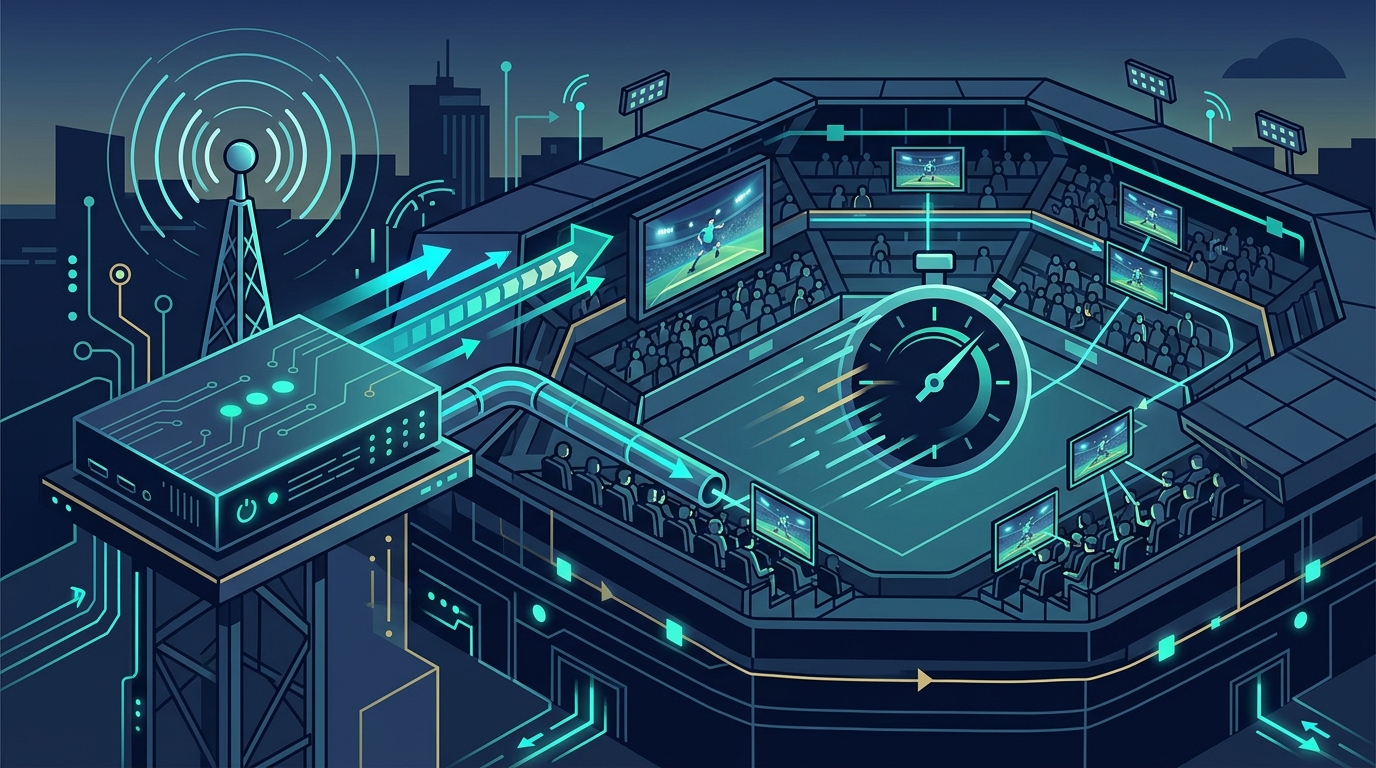
In modern commercial IPTV deployments, a set top box decoder SRT remains the essential bridge that transforms network streams into reliable, high‑quality video across large venues such as racecourses, stadiums, hospitals and corporate campuses. Using StreamVue’s Conductor makes it easy to schedule, monitor, and update these decoders at scale.
- A set top box decoder turns an SRT stream into a clean HDMI or SDI signal at every screen.
- SRT adds loss recovery and optional encryption to UDP, so it suits shared and public networks.
- Hundreds of decoders are managed from one scheduler, with content, alerts and health in one place.
- The same design scales from a single screen to a stadium video wall.
Set top boxes can push unique resolutions, run applications, support high‑end cutting‑edge codecs, and allow much higher resolution processing to be sent to the device. Designs and web widgets created through Symphony are guaranteed to work on all of our set top boxes.
Remote management via the scheduler allows configuration sync and health monitoring from a single console, reducing on‑site visits and ensuring consistency across hundreds of devices.
Scalable architecture supports thousands of concurrent decoders, with load‑balanced core switches and multicast groups, so the system can expand as venue capacity grows.
Why does a set top box decoder SRT matter?
Decoding devices sit at the edge of the distribution network. They receive an IP‑packaged video stream, recover from packet loss, re‑order packets and then output a clean HDMI or SDI signal to the display. The Secure Reliable Transport (SRT) protocol adds loss‑recovery and optional AES‑128 (Advanced Encryption Standard) encryption while keeping latency low – a combination essential when audiences expect a smooth live experience.
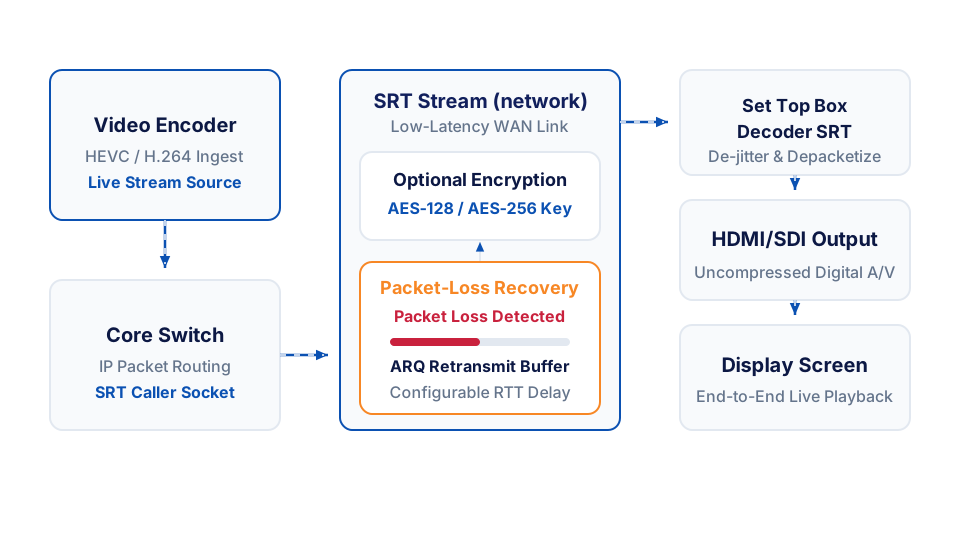
The SRT specification explains how sub‑second latency and reliable delivery are achieved over unpredictable networks. The draft SRT RFC describes the packet‑recovery algorithm and the optional encryption layer.
How does SRT differ from other transport methods?
- UDP‑only streaming gives low latency but provides no error correction, so any network hiccup produces visible artefacts.
- RTP (Real‑time Transport Protocol) adds sequencing and timestamps but lacks built‑in encryption and robust retransmission.
- SRT combines UDP speed with TCP‑style reliability and optional encryption, making it a better fit for commercial IPTV where both latency and security matter.
Scaling decoding devices across a venue
Large venues often need many decoding units. A single core switch can multicast one stream, but each screen still requires a local decoder to convert the packets into a video signal. Managing hundreds of devices calls for a central scheduler that can push playlists, emergency alerts and time‑based content changes without manual intervention.
Orchestrating content at scale
The Conductor scheduling engine provides a visual drag‑and‑drop scheduler that lets engineers build playlists, set time‑based triggers and define priority rules so that critical messages override regular programming automatically.
Operational monitoring and health checks
Each decoding device reports status via SNMP (Simple Network Management Protocol) or a simple HTTP health endpoint. By polling these endpoints you can build a dashboard that shows:
- Packet‑loss percentage per device.
- Current SRT latency buffer setting (usually a modest buffer to keep streams synchronised).
- CPU and memory utilisation.
If any device crosses a predefined threshold, the scheduler can trigger an automated fallback – for example switching the display to a standby loop – while a technician receives an alert.
Security considerations
When the transport traverses public or shared infrastructure, enable SRT’s optional AES‑128 encryption. Pair this with VLAN (virtual local area network) segregation so that only authorised decoding devices can join the multicast group. Regular firmware updates – as documented on the vendor’s support portal – are essential to patch any newly discovered cryptographic weaknesses.
Best‑practice checklist for SRT‑based deployments
- Provision a managed core switch capable of handling multicast or SRT unicast streams at the required scale.
- Configure each decoder with the same SRT latency buffer to keep streams synchronised.
- Use the scheduler to apply content changes during low‑traffic windows, minimising network churn.
- Monitor packet loss via the decoder’s status interface; adjust the SRT retransmission settings if needed.
- Secure the stream by enabling SRT’s optional encryption, especially when the transport traverses public or shared networks.
Common pitfalls and how to avoid them
- Single point of failure – always design redundant core paths and consider dual‑homed switches.
- Mixed protocols – stick to SRT across the whole distribution chain to simplify troubleshooting.
- Firmware lag – keep decoding firmware up‑to‑date to benefit from security patches and protocol improvements.
A practical design example
Imagine a large stadium that needs a live match feed, a sponsor loop and emergency announcements. The core network multicasts a single SRT stream to a managed switch. From that switch, many set top box decoder SRT units are connected to the video‑wall controllers. The scheduler is used to:
- start the match feed at kickoff,
- insert a sponsor loop during halftime,
- overlay an emergency banner instantly when triggered.
The workflow shows how a single SRT stream can serve many displays while a central scheduler handles content logic.

Trade‑off considerations
SRT offers reliability at the cost of a modest latency buffer compared with raw UDP. In environments where every millisecond counts – such as ultra‑low‑latency sports‑betting overlays – engineers may choose raw RTP with bespoke error‑correction. For most venue deployments the modest buffer provides a noticeable improvement in visual stability without harming the viewer experience.
Future considerations
The industry is moving toward tighter integration of SRT with SMPTE ST 2110 (the Society of Motion Picture and Television Engineers’ standard for video over IP) workflows, allowing separate routing of audio, video and ancillary data over IP. As more venues adopt hybrid workflows, a set top box decoder SRT will continue to serve as the bridge between legacy AV distribution and modern IP‑native ecosystems, ensuring reliable delivery even as network topologies evolve.
Implementation tips for long‑term success
- Document decoder firmware versions and update schedules in a central asset register.
- Use the scheduler’s bulk‑update feature to roll out configuration changes during off‑peak windows.
- Periodically verify the latency buffer matches the latency budget of your applications – adjust if you add new processing stages.
- Keep a spare pool of decoding devices on‑hand to replace any unit that fails without service interruption.
Measuring success
After a deployment, track key metrics to confirm the solution meets performance and business goals. Typical indicators include:
- Packet‑loss rate per decoder, kept low through reliable SRT transport.
- Average latency from source to display, maintained within acceptable live‑event thresholds.
- Uptime of decoding devices, targeted for high availability.
- Content‑change latency, measuring how quickly the scheduler can push a new playlist or emergency alert.
Monitoring health‑check endpoints and integrating them into your network monitoring platform helps you maintain performance and plan updates.
If you are planning a new venue rollout or upgrading an existing system, start by mapping your core network capacity and the number of decoding devices required. Then prototype a playlist in the scheduler and test SRT latency and error‑recovery in a lab environment before going live.
For a deeper dive into scheduling, automation and the full feature set, visit the Conductor product page and bring the plan for your own venue.